
Allen TX Data Recovery & Migration Services
Mr. Computer provides on-site data recovery and migration services in Allen, TX for customers whose computer died, will not boot, or has a broken copy of Windows that makes the computer inoperable. Our goal is simple: recover accessible files from the internal hard drive or SSD and move them somewhere usable.
Local Allen data recovery help
Reduce recovery risk
Most recoveries completed fast
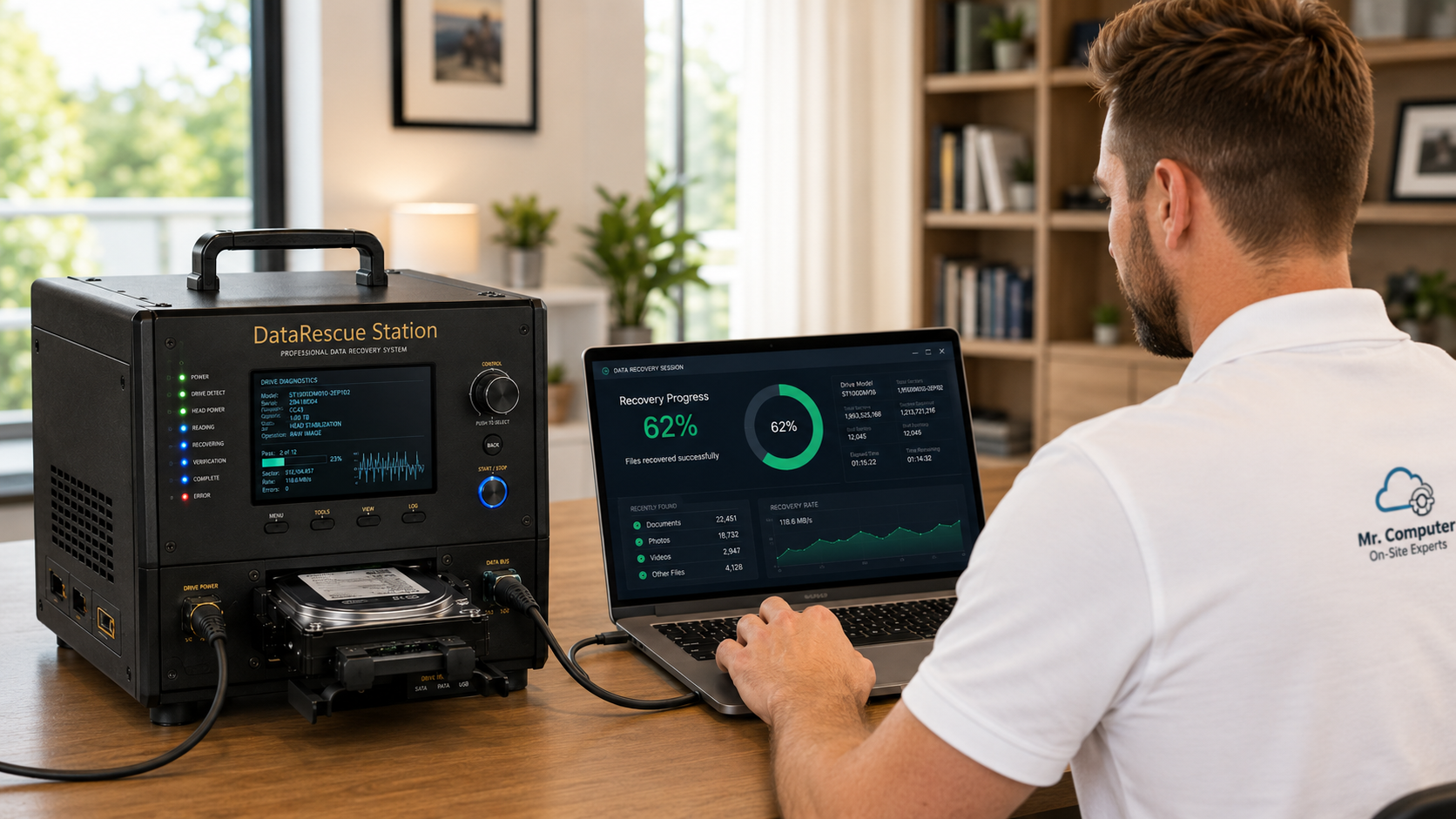
#1 Rated help when files are trapped on a dead or non-booting computer.
Mr. Computer is run by a local sole proprietor with decades of hands-on technology experience and 300+ 5-star reviews from customers who need practical help recovering important files.
Important recovery limits
We do not rebuild physically failed drives.
Mr. Computer performs practical file recovery from internal computer drives that are still detectable and electronically readable. We are best suited for computers that died, computers that will not boot, or Windows installations that are so damaged the computer is unusable.
We can often help with:
- Dead computers where the internal drive is still readable
- Computers that power on but will not boot into Windows
- Windows installations that are broken or inoperable
- Internal hard drives from desktops and laptops
- Internal SSD, NVMe and SATA drives
- File extraction from readable internal drives
- Transfer to another computer or external drive
- Limited encrypted-drive recovery when credentials are available
We do not recover from:
- Physically failed drives that need rebuilding
- Drives making a repeated cyclical clicking sound
- Drives that are not detected at all
- Water-damaged drives
- Failed external hard drives, USB flash drives or SD cards
- Phones, RAID configurations or ransomware-encrypted files
- Deleted files, overwritten files or forensic recovery situations
- Files that were altered and need to be restored to a previous version
Fast on-site recovery
Most data recovery does not require a drop-off.
Most customers do not need to send their computer away, drop it off at a shop, or wait days just to find out whether their files can be recovered. When the internal drive is still readable and qualifies for the type of recovery we perform, we usually complete the recovery during the on-site appointment.
Rates
Hourly data recovery with a 3-hour labor cap.
Data recovery is billed at the normal Mr. Computer hourly rate, but data recovery labor is capped at three hours when a bench recovery is needed.
1-hour minimum service call.
95% of recoveries are completed on site in 1.5 hours or less. The drive rarely has to be taken to the bench, and customers rarely have to drop anything off anywhere.
Destination drives
Recovered data needs somewhere to go.
Before recovery is completed, we need a destination with enough space for the recovered files.
- Your new computer, if it has enough available space
- Your external hard drive, if it is large enough
- A new external drive we provide when needed
- External drive options usually range from $65 to $110 depending on size
Best fit for our recovery service
Our target customer has a dead or non-booting computer and needs the files off the drive.
We are not a forensic recovery lab. We are the right call when the computer is inoperable, Windows is broken, or the machine will not boot, but the internal drive may still contain accessible files.
Computer Died
The computer no longer works normally, but you need documents, pictures, desktop files, business files or other data from the internal drive.
Computer Will Not Boot
The computer powers on, but Windows will not load, crashes, loops, blue-screens, or fails before you can reach your files.
Windows Is Broken
The copy of Windows is damaged or unusable, making the computer inoperable even though the internal drive may still be readable.
Internal Drive Extraction
We remove internal drives and recover accessible files to another computer or external storage device.
On-Site Recovery First
Most recoveries are handled right there during the appointment. The drive rarely has to leave your home or office.
Data Migration
Recovered files can be transferred to a new computer, your external drive, or a new external drive we provide.
Important data recovery warning
Do not keep restarting the computer.
If the drive is failing, every restart can make the situation worse. Continuing to use the computer, repeatedly trying repairs, installing recovery software, or putting the machine in the hands of inexperienced help can reduce the chance of getting your files back.
Stop Restarting
Repeated boot attempts can worsen a failing drive and reduce recovery chances.
Do Not Install Software
Installing recovery software can overwrite data or place more stress on the drive.
Avoid Guesswork
Improper handling can turn a recoverable drive into an unrecoverable one.
Call Quickly
The sooner the computer is handled correctly, the better your chances of recovery.
Data recovery services we provide
Practical recovery from internal computer drives that are still readable.
We focus on accessible file recovery from internal drives that do not require clean-room rebuilding, physical drive repair, forensic recovery or deleted-file reconstruction.
Internal Drive Data Recovery
Remove the internal drive from a failed or unusable computer and extract files to another computer or external drive.
Non-Booting Computers
Recover files from computers that will not fully start or cannot load Windows correctly.
File Extraction
Extract documents, pictures, desktop files, downloads, music, videos and other accessible user files.
Transfer to Another Computer
If you have another computer with enough space, we can transfer recovered files to that computer.
HDD, SSD, NVMe and SATA
Recover from many internal hard drives, solid state drives, NVMe drives and SATA drives when they are detectable.
Destination Drive Options
Recovered data can be placed on your computer, your external drive, or a new external drive we provide.
Encrypted drives
Encrypted drives require a quick conversation first.
We do limited recovery from encrypted drives. If your computer or drive is encrypted, call before scheduling so we can determine whether recovery is realistic and what credentials or recovery keys may be required.
- BitLocker or device encryption may require a recovery key
- Microsoft account access may be required
- Drive passwords must be available
- If credentials are unavailable, data may not be recoverable
Data migration after recovery
Recovered files can be moved where you need them.
Recovery is only useful if the files end up somewhere you can actually use them. We can place recovered data on a new computer, an external hard drive, or a new external drive supplied during the appointment.
- Documents, pictures and desktop folders
- Downloads, music, videos and PDFs
- Business files and tax documents
- QuickBooks and other accessible data files
How data recovery works
A careful on-site-first process for recovering accessible files.
Call First
Tell us what happened, what kind of computer it is, and whether the drive is clicking or detected.
Evaluate the Drive
We determine whether the drive appears to qualify for the type of recovery we perform.
Recover On Site
95% of recoveries are completed on site in 1.5 hours or less when the drive qualifies.
Bench Only If Needed
The drive rarely has to be taken to the bench. If it does, recovery labor is capped at three hours.
FAQ
Allen TX data recovery and migration questions.
Do you provide data recovery services in Allen, TX?
Yes. Mr. Computer provides on-site data recovery and migration services in Allen, TX for computers that died, will not boot, or have a broken copy of Windows that makes the computer inoperable.
Will I need to drop off my computer or hard drive?
Usually no. About 95% of our recoveries are completed on site in 1.5 hours or less. The drive rarely has to be taken to the bench, and customers rarely have to drop anything off anywhere.
What type of data recovery do you specialize in?
Our target customer has a dead computer, a computer that will not boot, or a broken Windows installation and needs accessible files recovered from the internal hard drive or SSD.
Do you recover deleted files?
No. We do not recover deleted files, overwritten files, altered files, or files that need to be restored to a previous version. We are not a forensic deleted-file recovery lab.
Can you restore files that I changed or altered?
No. If a file was changed, saved over, altered, or damaged by user action or software behavior, we generally cannot bring it back to the way it was previously.
What should I do if my computer will not boot?
Stop using it and avoid repeated restarts. Continued use, repairs, or installing recovery software can reduce the chance of successful recovery if the drive is failing.
How fast is data recovery?
About 95% of our data recoveries are completed on site in 1.5 hours or less when the internal drive is still readable and qualifies for the type of recovery we perform.
What does data recovery cost?
Data recovery is billed at $179 per hour with a 1-hour minimum. Recovery labor is capped at three hours when bench recovery is needed.
Can you recover from SSD or NVMe drives?
Yes, we can often recover from internal SSD, NVMe and SATA drives when the drive is detectable and the data is accessible.
Do you recover external drives, USB drives, SD cards or phones?
No. We do not recover from failed external hard drives, USB flash drives, SD cards, phones, RAID configurations or ransomware-encrypted files.
Can you recover a clicking hard drive?
A repeated cyclical clicking sound usually means the drive needs a specialty recovery lab, not standard recovery. We do not rebuild physically failed drives.
Where does the recovered data go?
Recovered files can be placed on your new computer, your external drive, or a new external drive we provide when needed.
Schedule data recovery help
Computer died, Windows will not boot, or files are trapped?
Stop using the device and call Mr. Computer. In 95% of qualifying recoveries, we complete the recovery on site in 1.5 hours or less, without the customer needing to drop anything off.