
Computer Setup & Data Migration
On-Site Help Moving Files, Email, Contacts, Calendars, Bookmarks and Common Software Setups to a New Computer
Mr. Computer helps customers move from an old, slow or incompatible computer to a new one without losing the files and settings they depend on. We set up the new computer, migrate important data, configure email, reinstall common software, connect printers, set up cloud storage and make the new computer easier to use.
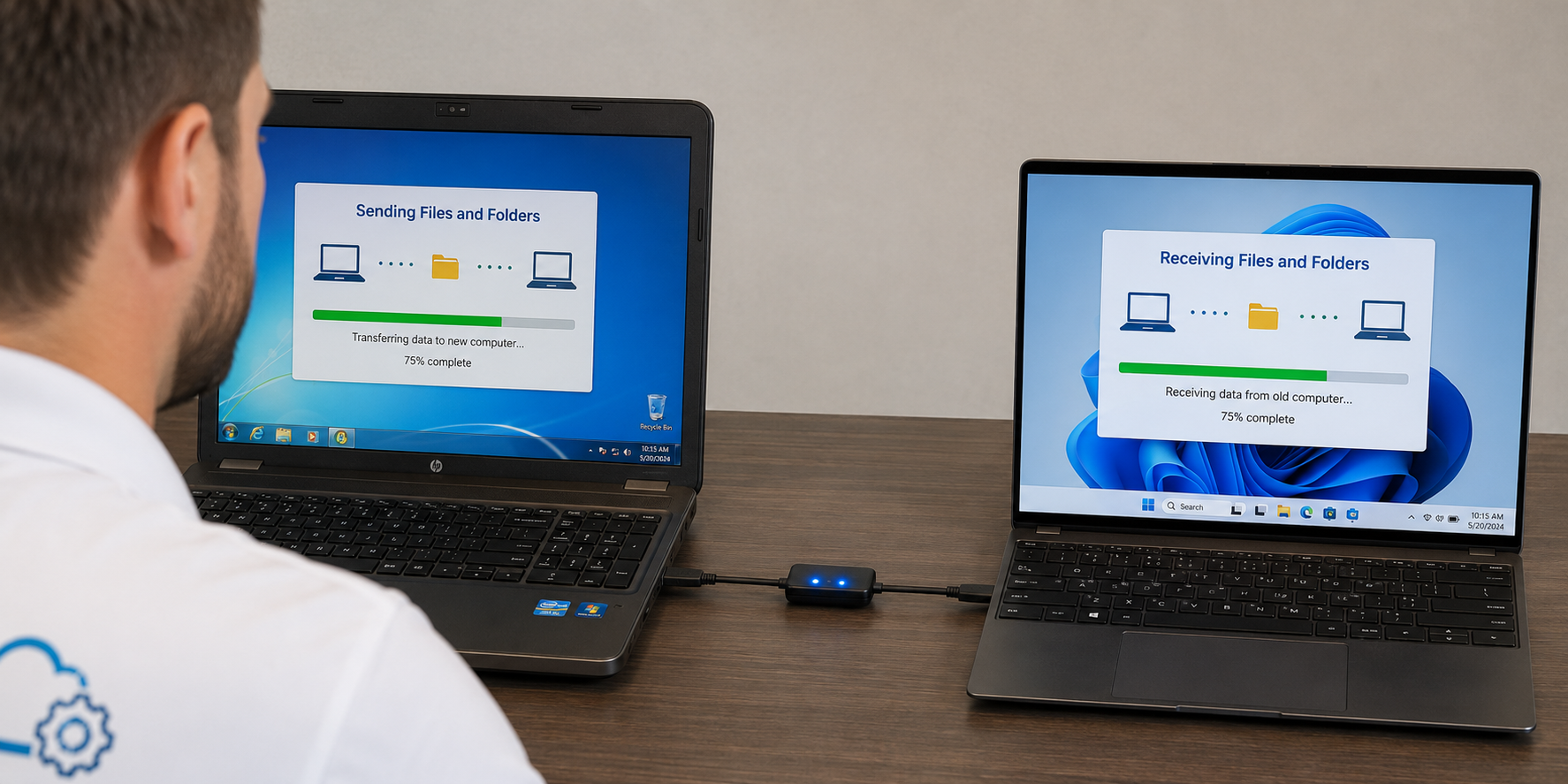
Common Reasons Customers Need a New Computer Setup
Most customers call because the old computer is too slow, too old, becoming incompatible with newer software, or simply no longer worth fighting with.
Old Computer Is Too Slow
The computer still turns on, but everything takes too long and daily tasks have become frustrating.
Compatibility Problems
Older computers may struggle with newer versions of Windows, Microsoft 365, browsers, printers and security updates.
New Computer Purchase
You bought a new desktop or laptop and need help making it feel like your computer.
Replacing a Failing Computer
When the old computer is unstable or starting to fail, we help move what can be moved before it gets worse.
Computer Setup & Data Migration Services We Provide
We handle the practical work required to make a new computer usable: files, email, Microsoft 365, printers, browsers, cloud storage, software reinstallation and familiar settings.
New Computer Setup
We set up the new computer, configure Windows, reinstall common apps, connect printers, set up email, review cloud storage and make the computer ready for normal daily use.
File Migration
Move documents, pictures, music, desktop files, downloads, tax files, PDF files and other important data.
Email Setup
Set up email accounts in classic Outlook and help synchronize mail with the online email account.
Microsoft 365 Apps
Install Word, Excel, PowerPoint and Outlook, then sign in and activate Microsoft 365 with your existing subscription.
OneDrive, Google Drive & Dropbox
Set up or disable OneDrive based on your preference and reinstall/configure Google Drive or Dropbox when needed.
Printer & Scanner Setup
Install compatible printers and scanners and match old printer settings when the old computer is healthy enough to review.
Browser Bookmarks & Saved Passwords
We can migrate browser bookmarks in most cases. Saved passwords can usually be moved only when the old computer is still operating well enough to access the browser profile or sync account.
Business & Financial Files
Move QuickBooks company files, tax files, financial databases, Adobe PDF files and important business documents.
About 90% of Customers Are Completed in 1.5 Hours or Less
Most new computer setup and data migration appointments are completed in about 1.5 hours or less when the customer has a normal amount of data, a few common programs, and one or two email accounts.
Larger migrations can take longer. Extra software, multiple email accounts, very large data sets, slow old computers, large Outlook files, cloud sync problems or lots of customer questions can push the appointment closer to 2 to 2.25 hours.
What We Can Move to the New Computer
Every migration is different, but these are the most common items customers want moved from the old computer to the new computer.
Documents, Pictures and Music
Documents, pictures, music, desktop files, downloads, PDF files and other personal folders.
Email, Contacts and Calendars
Outlook email data, contacts, calendars and account setup when the data is available.
QuickBooks and Tax Files
QuickBooks company files, tax software files, financial databases and business documents.
Bookmarks and Passwords
Browser bookmarks can usually be moved. Browser saved passwords depend on the old computer still operating well enough to access the browser or sync account.
We Default to Classic Outlook Because That Is What Most Customers Prefer
Most of our customers prefer the classic Microsoft Outlook desktop app over the new Outlook. During a new computer setup, we can add Gmail, Yahoo, AOL, Verizon, GoDaddy email, Microsoft 365, POP, IMAP and most other email accounts into classic Outlook.
If the customer does not know the email password, we can usually work with them to reset it during the appointment and then get the account working. No matter what condition the old computer is in, we can still synchronize the email on the new computer with the online email account so the customer can send and receive email when we are done.
Gmail, Yahoo, AOL and Verizon
We can connect common personal email accounts to classic Outlook.
GoDaddy and Microsoft 365
We set up business and domain email accounts purchased through common providers.
POP and IMAP Accounts
Older accounts can usually be configured when the password is known or recoverable.
Contacts and Calendars
When available, we can move contacts and calendars from the old computer.
Want OneDrive Turned On or Off? We Understand Both Choices.
A lot of customers do not want OneDrive managing their Desktop, Documents and Pictures folders, and we understand that. Other customers want OneDrive set up so files synchronize between devices. During the setup, we ask how you want it configured and set up the new computer accordingly.
We can also reinstall and configure Google Drive, Dropbox, Teams, Zoom and other common apps on the new computer when account access is available, and help make cloud storage easier to understand.
OneDrive On
Useful when you want cloud sync, file backup and access across multiple devices.
OneDrive Off
Preferred by many customers who want files stored locally without cloud folder confusion.
Google Drive or Dropbox
We can reinstall and configure other cloud storage tools if you already use them and still have account access.
Programs Cannot Be Migrated — They Must Be Reinstalled
On modern computers, attempting to migrate installed programs from one computer to another is almost always a problem. Programs need to be reinstalled on the new computer using the original installer, download link, online account, license key or installation media.
We commonly help reinstall Microsoft 365, Adobe Acrobat/PDF tools, Google Chrome, Dropbox, Google Drive, Microsoft Teams, Zoom and many other everyday programs. Some very old programs may not be compatible with newer versions of Windows, and paid software usually requires the customer to still have access to the original account, purchase email, license key, installer or subscription.
Microsoft 365
We can reinstall Word, Excel, PowerPoint and Outlook, then sign in and activate them using your existing Microsoft 365 subscription.
Antivirus
We can usually reinstall antivirus subscriptions when you still have access to the email account used to purchase the antivirus.
Remote Tools
We can review tools like LogMeIn, TeamViewer or AnyDesk and reinstall them when appropriate.
Purchased Software
Most purchased software can be reinstalled when the license, installer, account login or original purchase email is available.
What to Have Ready Before the Appointment
You do not need to be a technology expert. The process goes faster when a few basics are available.
Old Computer and New Computer
Have both computers available with power cords, chargers and any needed accessories.
Computer Login Passwords
We need to be able to log into the old computer and the new computer.
Email Passwords
Email passwords are very helpful and can save time during Outlook setup.
Software License Information
Have download links, purchase emails, discs, license keys or account logins for software you want reinstalled.
What Can and Cannot Be Moved
Files can be moved. Email can usually be set up. Microsoft 365 can usually be installed and activated. Browser bookmarks can usually be migrated. But installed programs themselves cannot be directly transferred from the old computer to the new computer. Programs must be reinstalled.
We also cannot guarantee that every old program, old printer or old scanner will be compatible with a brand-new computer running newer versions of Windows. Browser saved passwords usually require the old computer to still be operating well enough to access the browser or synced profile. Extremely old software or hardware may need to be replaced.
Programs Must Be Reinstalled
Modern software cannot be reliably migrated as-is from one computer to another.
Old Apps May Not Work
Some older programs may not be compatible with newer versions of Windows.
Old Printers May Be Incompatible
Extremely old printers or scanners may not have drivers for the new computer.
Accounts Require Access
Email, cloud storage, antivirus and software accounts require passwords or recoverable login access.
How the New Computer Setup Process Works
We make the new computer usable, familiar and ready for the work you actually do.
Tell Us What You Need
Call and explain whether you need files moved, email set up, software reinstalled, browsers configured or printers connected.
We Review Both Computers
We check the old computer, new computer, data size, email accounts, software reinstall needs, browser data and printers.
We Migrate and Configure
We move files, set up Outlook, reinstall Microsoft 365 and common apps, configure cloud storage, move browser bookmarks and connect devices.
We Test Everything
We verify email, files, printers, reinstalled apps, browser access and basic usability before we leave.
Need a New Computer Set Up and Your Data Moved?
Call Mr. Computer for on-site new computer setup and data migration. We can move files, configure classic Outlook, reinstall Microsoft 365 and other common apps, set up printers, configure cloud storage, migrate browser bookmarks and make the new computer ready to use.